
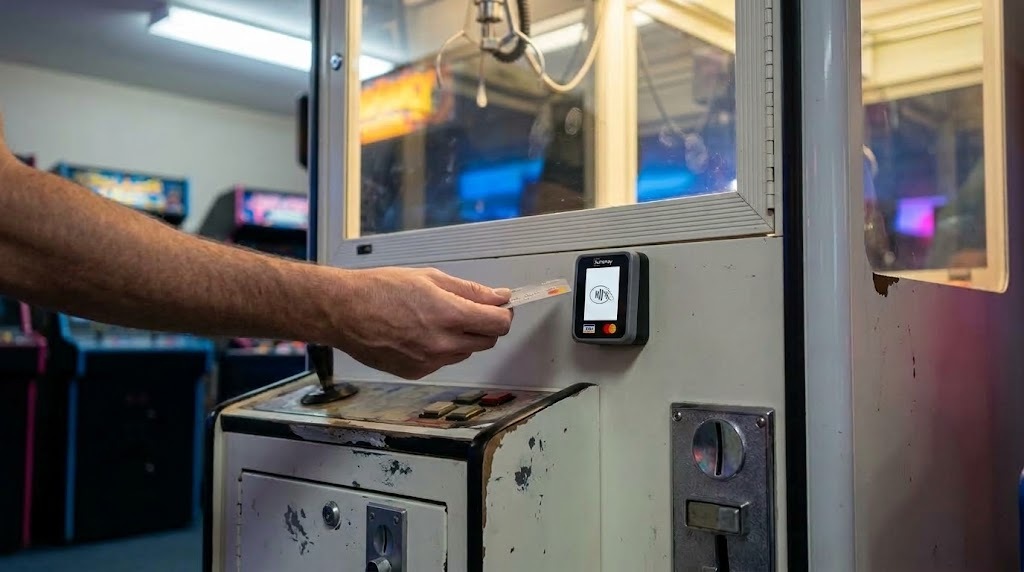
A used cabinet is bought for what it earns, and a cabinet that only takes coins earns from the people who happen to have change. Everyone else looks at it and walks on. That loss never appears in your figures, because a play that did not happen leaves no record.
The question is not whether card payment can be added. On amusement equipment it usually can, including on cabinets built decades ago. The question is which interface your particular machine uses, because that decides what you install and how long it takes.
Step 1. Find out what the cabinet speaks
Open the coin door and look at the coin acceptor and the wires leaving it. That is where the answer is.
- Pulse. A coin acceptor with two or three wires going to the board, and no data bus. The acceptor closes a contact and the machine counts the closures as credit. This is the most common case on used amusement equipment.
- MDB. A six wire loom marked MDB, or a machine built as a vending or combo unit. Common on newer equipment and on anything with a vending section.
- RS232. A serial port on the controller board. Supported as well, and worth confirming with the supplier from the model number.
- Needs checking. A non standard board with no obvious credit line. A small number of cabinets are wired individually, so send a photograph.
The Aurency A250 connects over all three: Pulse, MDB and RS232, with the same hardware and no rewiring. Across the amusement and arcade segment that covers 99% of machine models, and 150+ models are on the tested list.
If you would rather not open anything, send the make, the model, the year if you have it, and a photograph of the coin mech and its wiring. That is enough to answer from the model number, and a supplier who cannot answer from it is telling you something about their experience.
Step 2. Understand what the coin mech actually does
On a Pulse machine the coin acceptor does one thing: it closes a contact on the credit line, and the machine counts the closures. A pulse terminal reproduces exactly that. The player taps, the terminal closes the contact the same way a coin would, and the play starts. The cabinet does not know the difference and does not need to.
Three things decide whether the installation behaves.
1. The signalling level on your credit line. Amusement cabinets vary. Checking it takes a minute for someone who has done it before.
2. How many credits the machine gives for one pulse. Your cabinet already has this set, because the coin mech has been feeding it for years, and the terminal has to match it. Get it wrong and nothing warns you. There is no error and no alarm: the machine simply gives the player a different number of goes than they paid for, the transaction log looks completely normal, and you find the gap weeks later in the takings.
3. Whether the cabinet can tell the terminal to stop. A crane out of prizes, or a cabinet that has thrown a fault, will otherwise keep taking payments, and every one of those is a refund and a complaint. Most coin operated cabinets have an inhibit line available for this.
Step 3. What physically changes on the machine
Less than people expect.
- The coin mech stays. On most sites you should keep it, and the terminal can count what it registers so cash and card land in one report.
- The cabinet wiring is unchanged. The terminal connects to the credit line the coin mech already uses, and takes power from the machine.
- The fascia. The reader mounts on the front, within reach of the player. Many cabinets have a pre cut aperture. Where there is none, an adapter plate avoids cutting the panel.
- Connectivity is cellular, because cabinets move between locations and venue WiFi is rarely yours to control.
- The board, the harness and the game are untouched.
Step 4. The install, step by step
Plug and play, around 30 minutes per cabinet, no on site engineer.
1. Confirm the interface using the three checks above.
2. Mount the reader on the fascia, in the aperture or on an adapter plate.
3. Connect it to the credit line the coin mech uses, and take power from the machine.
4. Set the price, or prices, for a play in the terminal.
5. Set the pulse value so the number of pulses matches what the cabinet expects for one play.
6. Run one test payment and check what the machine actually credits. If the count is wrong, adjust the pulse timing and test again.
7. Wire the inhibit line if the cabinet supports it, so a faulted or empty machine stops taking payments.
8. Confirm the terminal is reporting to the dashboard before the cabinet goes back into service.
What the player gets instead of coins
A tap on the reader, then the same play. On the same terminal:
- Contactless Visa and Mastercard, Apple Pay, Google Pay, Samsung Pay
- QR payments and local payment methods
- Your own branded cards and tokens through Aurency Close Loop, loaded, refunded and blocked remotely
A transaction takes two to five seconds depending on signal, which matters on repeat play: the player who nearly won pays again only if paying is quick. If the payment goes through and the machine does not deliver, the terminal refunds the card automatically once your timeout passes, and the server issues that refund even if the terminal has lost its connection.
What it does for you after the first month
- Every machine reports its own sales, cash and card together, so a revenue share with a venue is settled from one number instead of an argument
- A faulted or empty cabinet reports itself before the location manager calls
- Stock and planogram for redemption and prize machines, and remote price changes from a phone
- Cash collection records, so you can see what is sitting in a cabinet before you drive out to it
Telemetry on amusement equipment runs through a Pulse Pro cable connection to the A250, so it is the same device doing both jobs.
Which machines this applies to
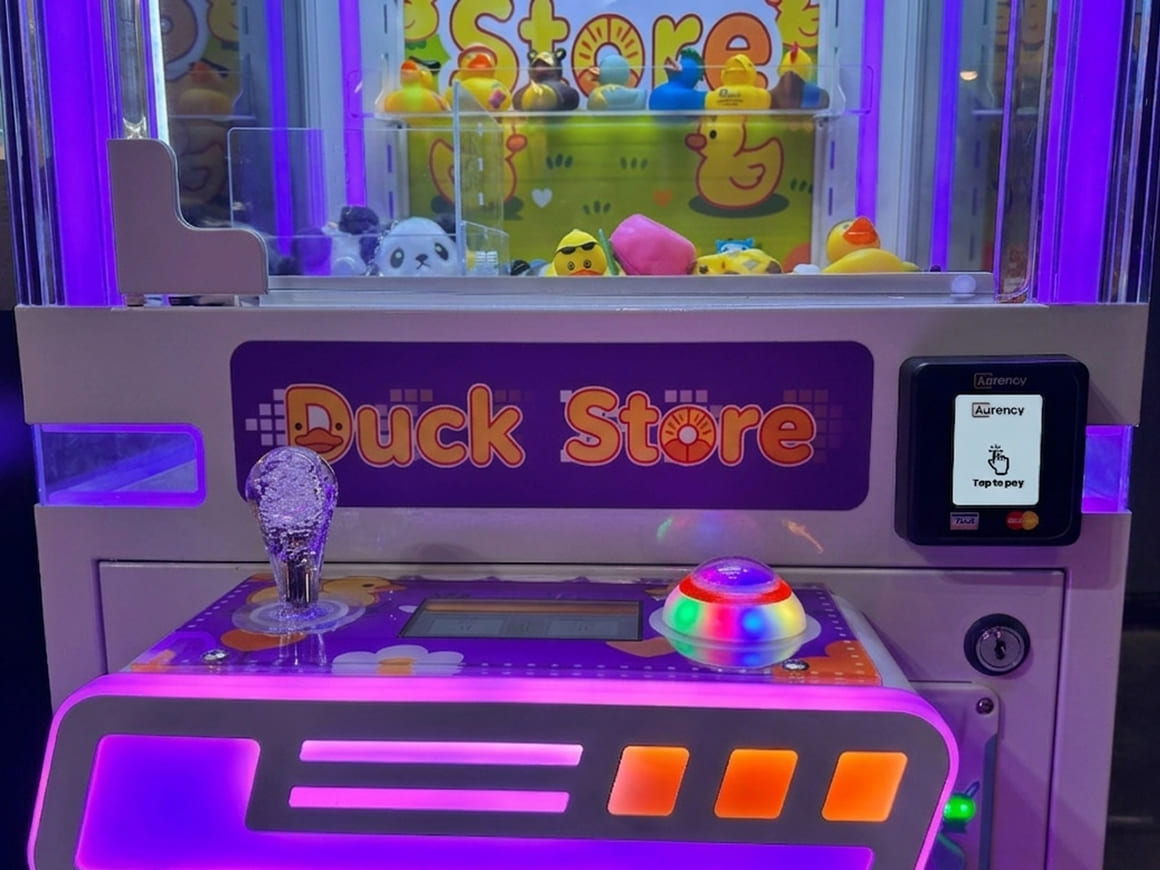
- Claw and prize machines. Pulse. Covered in detail in can you put a card reader on a claw machine.
- Kiddie rides. Pulse. Often the worst hit by cash only operation, since the parent rarely has coins.
- Gashapon and capsule machines. Pulse. Small ticket, so almost nobody is carrying the right change.
- Gumball machines. Pulse.
- Classic arcade cabinets. Pulse. Age is much less of an obstacle here than in vending: the credit signal has not changed in decades.
- Redemption arcades. Pulse or MDB.
- Photo booths. Pulse, MDB or RS232.
- Ticket machines. Pulse or MDB.
What a card reader will not do
It does not run ticket redemption, track your prize fund or hold a payout ratio to target. If those are the problems you are solving, a reader will not solve them, and no supplier should tell you otherwise.
Common questions
Will it work on a cabinet that is fifteen or twenty years old? Usually yes. On amusement equipment the credit signal has not changed in decades, so age is far less of an obstacle than on vending machines. The cabinets that cause trouble are the ones with non standard boards.
Do I have to take the coin mech out? No, and on most sites you should not. The reader works alongside it, and can be set to read it so coin takings appear in the same report as card takings.
Does it work on gashapon and capsule machines? Yes. The credit principle is the same.
Can players still use my own tokens or cards? Yes, on the same terminal as bank cards and phone wallets.
How long is a machine out of service for the install? About half an hour, and no technician is needed.
What do you need from me to confirm my cabinet? Make, model, year if known, and a photograph of the coin mech and its wiring.
Check your cabinet
Send the model and a photograph of the coin mech, and you get an answer on what connects and how. The tested machine models list and the amusement and arcade page cover the equipment types and the protocols in more detail.

.jpg)